
PicWish: AI Photo Editor2.4.9 - App Store
You'll be able to see results in few seconds.
Publisher Description
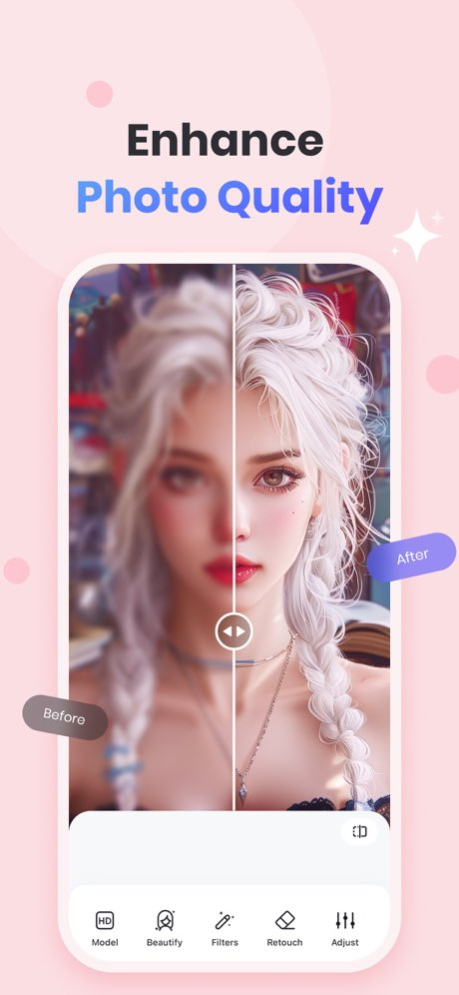
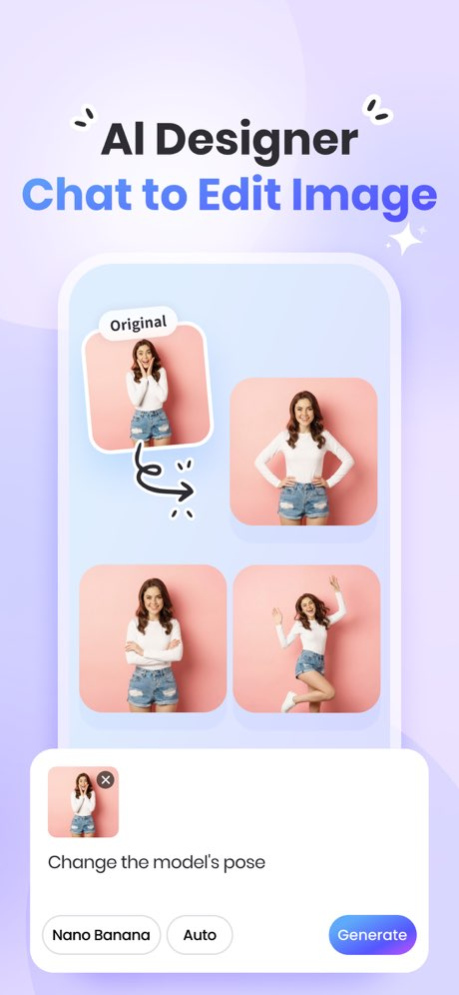
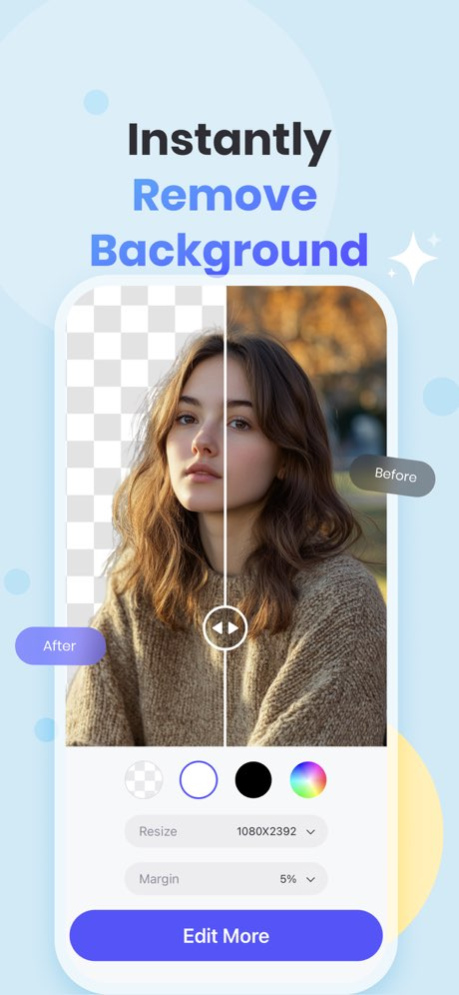
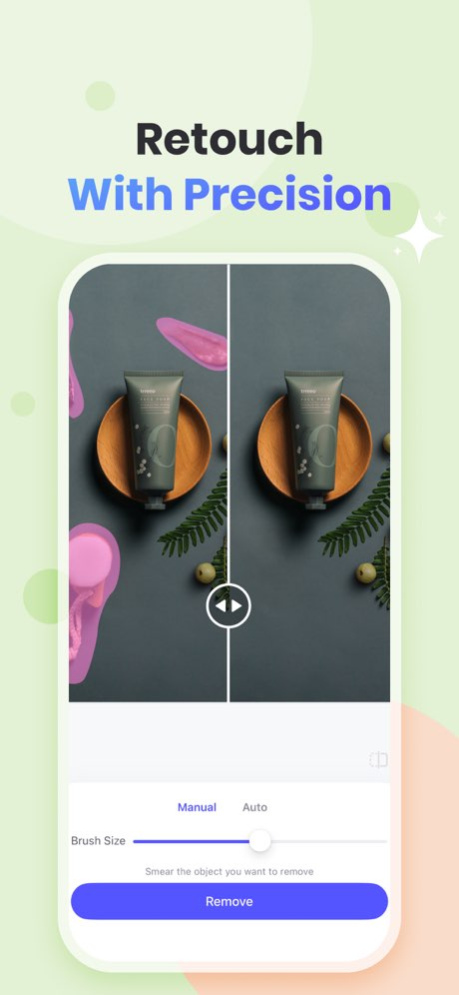
Try the easiest AI photo editing app! Remove background and unblur photo to make your products stand out! 100% automatic. Super easy-to-use. Edit photos as easily as chat with PicWish.
See our featured tools:
* Enhance:
- Unblur multiple photos in an instant.
- Colorize white-and-black photos.
- Add filters to enhance your photos.
* Remove Background:
- Remove photo backgrounds automatically & edit details manually.
- One-tap high-quality product photos with proper lighting.
- Change backgrounds, add multiple cutouts on one project, resize, add shadows, etc.
* Remove Object:
- Remove unwanted objects from your image including folds, smudges, text, etc.
- Support auto removal mode. PicWish AI can automatically detect and remove text from your photo.
* AI Premium:
- Chat Edit & AI Designer:
Chat to edit. Transform your photos with a simple text.
- AI Background:
Automatically remove background, and let AI generate the right background for your product shot or any photo.
- AI Portrait:
Simply upload a selfie photo and choose an ideal template. PicWish AI enables you to discover your different styles.
- AI Art:
Instantly text to image. Create your artwork with no design skills.
* Edit Photo:
- Resize, add text to photo, add logo to photo, adjust brightness, and more editing options.
* Batch mode:
- Batch background removal or enhancement, up to 30 images at a time.
* ID Photos:
- Change background color and size to meet ID photo standards. Custom and common sizes such as 2x2 photos are available.
- You can choose to remove the blur from your ID photo with one click.
Why PicWish?
- The easiest AI photo editor
- Affordable price with a free trial
- Accurate result
Who Loves PicWish?
- Newbies & pro users who value accuracy
- Resellers or people who own a small business
- Graphics designers who want to save time and effort
- Those who regularly handle a large number of images
Want a free trial? Upgrade to PicWish Pro, you'll have full access to all features.
* 450 AI credits/mo
* Unlock all features
* High Definition Export
PicWish Pro Subscription:
Subscriptions are available weekly, monthly, and annually (with a free trial).
Explore all features with a 3-day Free Trail. Once the trial is over, you'll be charged a subscription fee.
Subscriptions will then auto-renew every week, month, or year unless turned off at least 24 hours before the end of the current period. Your iTunes Account will be charged for renewal within 24-hours prior to the end of the current period, and identify the cost of the renewal. To stop auto-renewal, visit Account Settings in iTunes after purchase.
Download PicWish and light up your products today!
Have questions, problems, or feedback? Reach out to us at support@picwish.com
Follow us on TikTok @picwish_official for design tips.
Terms of Use: https://picwish.com/app-terms
Privacy policy: https://picwish.com/app-privacy
Version History Improved membership purchases and product loading, and fixed video playback issues in some feature guides. 2.4.9 Aug 28 1. Fix some bugs
2. Upgrade the user experience 2.4.8 Jun 10 1. AI Edit & AI Designer: Added the GPT-Image2 model.
2. Fixed known issues and improved the overall experience. 2.4.7 Jun 1 Home templates updated with more photo templates.
AI Edit templates upgraded to make photo editing and creation easier. 2.4.6 May 16 Major update to “Seamless Text Edit”: added manual brushing for more precise edits.
Fixed known issues and improved the user experience. 2.4.5 May 6 1. Fix some bugs
2. Upgrade the user experience 2.4.4 Apr 24 1. New "Image Translate" feature: Seamlessly translate text into multiple languages while preserving the background.
2. Bug fixes and performance improvements. 2.4.3 Apr 14 1. Introducing "AI Image Expander"! Smartly extend your photos and fill in the details with ease.
2. Bug fixes and performance improvements. 2.4.2 Apr 6 1. Added new Text and Anime models to Enhance. Now supports both Basic and Pro models.
2. Batch Enhance optimized: choose between Basic and Pro models for your bulk edits. 2.4.1 Mar 24 1. Major updates to "Enhance" and "Restore Old Photo" features for a smoother, more intuitive experience.
2.Added the new "Nano Banana Pro" model for superior processing quality.
3. Bug fixes and overall performance enhancements. 2.4.0 Mar 12 Image Enhancement feature optimized! Three new models have been added—Ultra HD, HD, and Restoration. You can switch between them as needed to achieve better restoration results. 2.3.10 Feb 11 New templates in Chat Edit!
We've added a variety of portrait templates. Try them out and create your perfect look!
- Bug fixes and performance improvements. 2.3.9 Feb 8 Fix some bugs 2.3.8 Jan 27 Major Update is Here!
Remove Object: Introducing Full-Screen Text Removal. Clear all text from your image with just one tap.
Restore Old Photo: New Ultra-HD Repair mode helps you perfectly restore details and bring fading memories back to life.
Improvements: General performance optimizations and bug fixes for a smoother experience. 2.3.7 Jan 26 1. Eraser Tool Update: Now supports targeted removal in more scenarios with better precision.
2. Bug fixes and user experience improvements. 2.3.6 Jan 12 Merry Christmas!
Chat to create your dream Christmas photos with our AI Designer.
Plus, check out the special holiday treats PicWish has waiting for you! 2.3.5 12/24/2025 1、Optimized Chat Edit experience
2、Fix some bugs 2.3.4 12/21/2025 1. Optimized the AI Designer experience.
2. Fixed known bugs. 2.3.3 12/12/2025 1. Education discount promotion launched
2. Various experience improvements 2.3.2 11/28/2025 1. Fix some bugs
2. Upgrade the user experience 2.3.1 11/22/2025 1、Chat Edit feature improvements
2、Chat Edit now accessible from image editor
3、Various bug fixes 2.3.0 11/15/2025 1. New AI Image Editing: Transform your photos with just a simple text prompt
2. Performance improvements and bug fixes 2.2.9 11/03/2025 1、Face Cutout is available now! Create big head cutouts for portraits, kids, pets and cartoons with perfect details
2、Optimized AI Designer experience
3、Fixed some known bugs 2.2.8 10/22/2025 1. Fix some bugs
2. Upgrade the user experience 2.2.7 09/30/2025 1. Fix some bugs
2. Upgrade the user experience 2.2.6 09/20/2025
About PicWish: AI Photo Editor
The company that develops PicWish: AI Photo Editor is Wangxu Technology Co., Ltd. The latest version released by its developer is 2.4.9.
To install PicWish: AI Photo Editor on your iOS device, just click the green Continue To App button above to start the installation process. The app is listed on our website since 2026-10-15 and was downloaded 0 times. We have already checked if the download link is safe, however for your own protection we recommend that you scan the downloaded app with your antivirus. Your antivirus may detect the PicWish: AI Photo Editor as malware if the download link is broken.
How to install PicWish: AI Photo Editor on your iOS device:
- Click on the Continue To App button on our website. This will redirect you to the App Store.
- Once the PicWish: AI Photo Editor is shown in the iTunes listing of your iOS device, you can start its download and installation. Tap on the GET button to the right of the app to start downloading it.
- If you are not logged-in the iOS appstore app, you'll be prompted for your your Apple ID and/or password.
- After PicWish: AI Photo Editor is downloaded, you'll see an INSTALL button to the right. Tap on it to start the actual installation of the iOS app.
- Once installation is finished you can tap on the OPEN button to start it. Its icon will also be added to your device home screen.
Program Details
System requirements
Download information
Pricing
Version History
version 2.4.9
posted on 2026-10-15
Version History Improved membership purchases and product loading, and fixed video playback issues in some feature guides. 2.4.9 Aug 28 1. Fix some bugs
2. Upgrade the user experience 2.4.8 Jun 10 1. AI Edit & AI Designer: Added the GPT-Image2 model.
2. Fixed known issues and improved the overall experience. 2.4.7 Jun 1 Home templates updated with more photo templates.
AI Edit templates upgraded to make photo editing and creation easier. 2.4.6 May 16 Major update to “Seamless Text Edit”: added manual brushing for more precise edits.
Fixed known issues and improved the user experience. 2.4.5 May 6 1. Fix some bugs
2. Upgrade the user experience 2.4.4 Apr 24 1. New "Image Translate" feature: Seamlessly translate text into multiple languages while preserving the background.
2. Bug fixes and performance improvements. 2.4.3 Apr 14 1. Introducing "AI Image Expander"! Smartly extend your photos and fill in the details with ease.
2. Bug fixes and performance improvements. 2.4.2 Apr 6 1. Added new Text and Anime models to Enhance. Now supports both Basic and Pro models.
2. Batch Enhance optimized: choose between Basic and Pro models for your bulk edits. 2.4.1 Mar 24 1. Major updates to "Enhance" and "Restore Old Photo" features for a smoother, more intuitive experience.
2.Added the new "Nano Banana Pro" model for superior processing quality.
3. Bug fixes and overall performance enhancements. 2.4.0 Mar 12 Image Enhancement feature optimized! Three new models have been added—Ultra HD, HD, and Restoration. You can switch between them as needed to achieve better restoration results. 2.3.10 Feb 11 New templates in Chat Edit!
We've added a variety of portrait templates. Try them out and create your perfect look!
- Bug fixes and performance improvements. 2.3.9 Feb 8 Fix some bugs 2.3.8 Jan 27 Major Update is Here!
Remove Object: Introducing Full-Screen Text Removal. Clear all text from your image with just one tap.
Restore Old Photo: New Ultra-HD Repair mode helps you perfectly restore details and bring fading memories back to life.
Improvements: General performance optimizations and bug fixes for a smoother experience. 2.3.7 Jan 26 1. Eraser Tool Update: Now supports targeted removal in more scenarios with better precision.
2. Bug fixes and user experience improvements. 2.3.6 Jan 12 Merry Christmas!
Chat to create your dream Christmas photos with our AI Designer.
Plus, check out the special holiday treats PicWish has waiting for you! 2.3.5 12/24/2025 1、Optimized Chat Edit experience
2、Fix some bugs 2.3.4 12/21/2025 1. Optimized the AI Designer experience.
2. Fixed known bugs. 2.3.3 12/12/2025 1. Education discount promotion launched
2. Various experience improvements 2.3.2 11/28/2025 1. Fix some bugs
2. Upgrade the user experience 2.3.1 11/22/2025 1、Chat Edit feature improvements
2、Chat Edit now accessible from image editor
3、Various bug fixes 2.3.0 11/15/2025 1. New AI Image Editing: Transform your photos with just a simple text prompt
2. Performance improvements and bug fixes 2.2.9 11/03/2025 1、Face Cutout is available now! Create big head cutouts for portraits, kids, pets and cartoons with perfect details
2、Optimized AI Designer experience
3、Fixed some known bugs 2.2.8 10/22/2025 1. Fix some bugs
2. Upgrade the user experience 2.2.7 09/30/2025 1. Fix some bugs
2. Upgrade the user experience 2.2.6 09/20/2025
version 2.4.9
posted on 2026-09-03
Version History Improved membership purchases and product loading, and fixed video playback issues in some feature guides. 2.4.9 5d ago 1. Fix some bugs
2. Upgrade the user experience 2.4.8 Jun 10 1. AI Edit & AI Designer: Added the GPT-Image2 model.
2. Fixed known issues and improved the overall experience. 2.4.7 Jun 1 Home templates updated with more photo templates.
AI Edit templates upgraded to make photo editing and creation easier. 2.4.6 May 16 Major update to “Seamless Text Edit”: added manual brushing for more precise edits.
Fixed known issues and improved the user experience. 2.4.5 May 6 1. Fix some bugs
2. Upgrade the user experience 2.4.4 Apr 24 1. New "Image Translate" feature: Seamlessly translate text into multiple languages while preserving the background.
2. Bug fixes and performance improvements. 2.4.3 Apr 14 1. Introducing "AI Image Expander"! Smartly extend your photos and fill in the details with ease.
2. Bug fixes and performance improvements. 2.4.2 Apr 6 1. Added new Text and Anime models to Enhance. Now supports both Basic and Pro models.
2. Batch Enhance optimized: choose between Basic and Pro models for your bulk edits. 2.4.1 Mar 24 1. Major updates to "Enhance" and "Restore Old Photo" features for a smoother, more intuitive experience.
2.Added the new "Nano Banana Pro" model for superior processing quality.
3. Bug fixes and overall performance enhancements. 2.4.0 Mar 12 Image Enhancement feature optimized! Three new models have been added—Ultra HD, HD, and Restoration. You can switch between them as needed to achieve better restoration results. 2.3.10 Feb 11 New templates in Chat Edit!
We've added a variety of portrait templates. Try them out and create your perfect look!
- Bug fixes and performance improvements. 2.3.9 Feb 8 Fix some bugs 2.3.8 Jan 27 Major Update is Here!
Remove Object: Introducing Full-Screen Text Removal. Clear all text from your image with just one tap.
Restore Old Photo: New Ultra-HD Repair mode helps you perfectly restore details and bring fading memories back to life.
Improvements: General performance optimizations and bug fixes for a smoother experience. 2.3.7 Jan 26 1. Eraser Tool Update: Now supports targeted removal in more scenarios with better precision.
2. Bug fixes and user experience improvements. 2.3.6 Jan 12 Merry Christmas!
Chat to create your dream Christmas photos with our AI Designer.
Plus, check out the special holiday treats PicWish has waiting for you! 2.3.5 12/24/2025 1、Optimized Chat Edit experience
2、Fix some bugs 2.3.4 12/21/2025 1. Optimized the AI Designer experience.
2. Fixed known bugs. 2.3.3 12/12/2025 1. Education discount promotion launched
2. Various experience improvements 2.3.2 11/28/2025 1. Fix some bugs
2. Upgrade the user experience 2.3.1 11/22/2025 1、Chat Edit feature improvements
2、Chat Edit now accessible from image editor
3、Various bug fixes 2.3.0 11/15/2025 1. New AI Image Editing: Transform your photos with just a simple text prompt
2. Performance improvements and bug fixes 2.2.9 11/03/2025 1、Face Cutout is available now! Create big head cutouts for portraits, kids, pets and cartoons with perfect details
2、Optimized AI Designer experience
3、Fixed some known bugs 2.2.8 10/22/2025 1. Fix some bugs
2. Upgrade the user experience 2.2.7 09/30/2025 1. Fix some bugs
2. Upgrade the user experience 2.2.6 09/20/2025
version 2.4.8
posted on 2026-08-21
Version History 1. Fix some bugs
2. Upgrade the user experience 2.4.8 Jun 10 1. AI Edit & AI Designer: Added the GPT-Image2 model.
2. Fixed known issues and improved the overall experience. 2.4.7 Jun 1 Home templates updated with more photo templates.
AI Edit templates upgraded to make photo editing and creation easier. 2.4.6 May 16 Major update to “Seamless Text Edit”: added manual brushing for more precise edits.
Fixed known issues and improved the user experience. 2.4.5 May 6 1. Fix some bugs
2. Upgrade the user experience 2.4.4 Apr 24 1. New "Image Translate" feature: Seamlessly translate text into multiple languages while preserving the background.
2. Bug fixes and performance improvements. 2.4.3 Apr 14 1. Introducing "AI Image Expander"! Smartly extend your photos and fill in the details with ease.
2. Bug fixes and performance improvements. 2.4.2 Apr 6 1. Added new Text and Anime models to Enhance. Now supports both Basic and Pro models.
2. Batch Enhance optimized: choose between Basic and Pro models for your bulk edits. 2.4.1 Mar 24 1. Major updates to "Enhance" and "Restore Old Photo" features for a smoother, more intuitive experience.
2.Added the new "Nano Banana Pro" model for superior processing quality.
3. Bug fixes and overall performance enhancements. 2.4.0 Mar 12 Image Enhancement feature optimized! Three new models have been added—Ultra HD, HD, and Restoration. You can switch between them as needed to achieve better restoration results. 2.3.10 Feb 11 New templates in Chat Edit!
We've added a variety of portrait templates. Try them out and create your perfect look!
- Bug fixes and performance improvements. 2.3.9 Feb 8 Fix some bugs 2.3.8 Jan 27 Major Update is Here!
Remove Object: Introducing Full-Screen Text Removal. Clear all text from your image with just one tap.
Restore Old Photo: New Ultra-HD Repair mode helps you perfectly restore details and bring fading memories back to life.
Improvements: General performance optimizations and bug fixes for a smoother experience. 2.3.7 Jan 26 1. Eraser Tool Update: Now supports targeted removal in more scenarios with better precision.
2. Bug fixes and user experience improvements. 2.3.6 Jan 12 Merry Christmas!
Chat to create your dream Christmas photos with our AI Designer.
Plus, check out the special holiday treats PicWish has waiting for you! 2.3.5 12/24/2025 1、Optimized Chat Edit experience
2、Fix some bugs 2.3.4 12/21/2025 1. Optimized the AI Designer experience.
2. Fixed known bugs. 2.3.3 12/12/2025 1. Education discount promotion launched
2. Various experience improvements 2.3.2 11/28/2025 1. Fix some bugs
2. Upgrade the user experience 2.3.1 11/22/2025 1、Chat Edit feature improvements
2、Chat Edit now accessible from image editor
3、Various bug fixes 2.3.0 11/15/2025 1. New AI Image Editing: Transform your photos with just a simple text prompt
2. Performance improvements and bug fixes 2.2.9 11/03/2025 1、Face Cutout is available now! Create big head cutouts for portraits, kids, pets and cartoons with perfect details
2、Optimized AI Designer experience
3、Fixed some known bugs 2.2.8 10/22/2025 1. Fix some bugs
2. Upgrade the user experience 2.2.7 09/30/2025 1. Fix some bugs
2. Upgrade the user experience 2.2.6 09/20/2025 1. The "Old Photo Restoration" feature is now online, better helping you clearly relive precious memories. Come and try it out!
2. Fix some bugs. 2.2.5 09/11/2025
version 2.4.6
posted on 2026-05-30
Version History Home templates updated with more photo templates.
AI Edit templates upgraded to make photo editing and creation easier. 2.4.6 May 16 Major update to “Seamless Text Edit”: added manual brushing for more precise edits.
Fixed known issues and improved the user experience. 2.4.5 May 6 1. Fix some bugs
2. Upgrade the user experience 2.4.4 Apr 24 1. New "Image Translate" feature: Seamlessly translate text into multiple languages while preserving the background.
2. Bug fixes and performance improvements. 2.4.3 Apr 14 1. Introducing "AI Image Expander"! Smartly extend your photos and fill in the details with ease.
2. Bug fixes and performance improvements. 2.4.2 Apr 6 1. Added new Text and Anime models to Enhance. Now supports both Basic and Pro models.
2. Batch Enhance optimized: choose between Basic and Pro models for your bulk edits. 2.4.1 Mar 24 1. Major updates to "Enhance" and "Restore Old Photo" features for a smoother, more intuitive experience.
2.Added the new "Nano Banana Pro" model for superior processing quality.
3. Bug fixes and overall performance enhancements. 2.4.0 Mar 12 Image Enhancement feature optimized! Three new models have been added—Ultra HD, HD, and Restoration. You can switch between them as needed to achieve better restoration results. 2.3.10 Feb 11 New templates in Chat Edit!
We've added a variety of portrait templates. Try them out and create your perfect look!
- Bug fixes and performance improvements. 2.3.9 Feb 8 Fix some bugs 2.3.8 Jan 27 Major Update is Here!
Remove Object: Introducing Full-Screen Text Removal. Clear all text from your image with just one tap.
Restore Old Photo: New Ultra-HD Repair mode helps you perfectly restore details and bring fading memories back to life.
Improvements: General performance optimizations and bug fixes for a smoother experience. 2.3.7 Jan 26 1. Eraser Tool Update: Now supports targeted removal in more scenarios with better precision.
2. Bug fixes and user experience improvements. 2.3.6 Jan 12 Merry Christmas!
Chat to create your dream Christmas photos with our AI Designer.
Plus, check out the special holiday treats PicWish has waiting for you! 2.3.5 12/24/2025 1、Optimized Chat Edit experience
2、Fix some bugs 2.3.4 12/21/2025 1. Optimized the AI Designer experience.
2. Fixed known bugs. 2.3.3 12/12/2025 1. Education discount promotion launched
2. Various experience improvements 2.3.2 11/28/2025 1. Fix some bugs
2. Upgrade the user experience 2.3.1 11/22/2025 1、Chat Edit feature improvements
2、Chat Edit now accessible from image editor
3、Various bug fixes 2.3.0 11/15/2025 1. New AI Image Editing: Transform your photos with just a simple text prompt
2. Performance improvements and bug fixes 2.2.9 11/03/2025 1、Face Cutout is available now! Create big head cutouts for portraits, kids, pets and cartoons with perfect details
2、Optimized AI Designer experience
3、Fixed some known bugs 2.2.8 10/22/2025 1. Fix some bugs
2. Upgrade the user experience 2.2.7 09/30/2025 1. Fix some bugs
2. Upgrade the user experience 2.2.6 09/20/2025 1. The "Old Photo Restoration" feature is now online, better helping you clearly relive precious memories. Come and try it out!
2. Fix some bugs. 2.2.5 09/11/2025 1. Fix some bugs
2. Upgrade the user experience 2.2.4 09/04/2025 Fix some bugs 2.2.3 08/28/2025
version 2.3.10
posted on 2026-02-11
Image Enhancement feature optimized! Three new models have been added—Ultra HD, HD, and Restoration. You can switch between them as needed to achieve better restoration results.
version 1.7.2
posted on 2024-08-07
Aug 7, 2024
Version 1.7.2
Fixed some known issues for a better experience.
version 1.7.1
posted on 2024-03-12
Mar 12, 2024
Version 1.7.1
Fixed some known issues for a better experience.
version 1.7.0
posted on 2023-09-14
Sep 14, 2023
Version 1.7.0
Fixed some known issues for a better experience.
version 1.6.1
posted on 2023-07-18
Jul 18, 2023
Version 1.6.1
Fixed some known issues for a better experience
version 1.6.0
posted on 2023-06-29
Jun 29, 2023
Version 1.6.0
Screenshot OCR has been released!Accurately identify and copy the text in the screenshot, and support the function of cutout and enhancement. Try it now!
Disclaimer
Official App Store Link
We do not host PicWish: AI Photo Editor on our servers. We did not scan it for viruses, adware, spyware or other type of malware. This app is hosted by Apple and passed their terms and conditions to be listed there. We recommend caution when installing it.
The App Store link for PicWish: AI Photo Editor is provided to you by apps112.com without any warranties, representations or guarantees of any kind, so access it at your own risk.
If you have questions regarding this particular app contact the publisher directly. For questions about the functionalities of apps112.com contact us.
